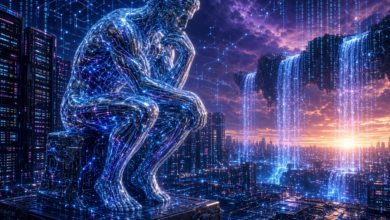
AI is shaking up the way we plan, make, edit, and share digital stuff. Things that used to need separate programs, a lot of technical know-how, and hours of manual work can now be tackled with AI-assisted helpers. The shift is most obvious in video and image work, where you can just tell the computer what you want in everyday language and let it help you spin up ideas, create assets, and polish the final product faster.
What This Means for Beginners vs. Pros
If you’re just starting out, the biggest win is accessibility. You don’t have to memorize every button and shortcut before you can begin—you describe the end result you’re after, and AI lends a hand with the fiddly parts.
Seasoned editors get a different perk: AI can take over the repetitive, time-sucking chores, freeing you up to focus on the story, the pacing, and the creative decisions that really matter.
How AI-Assisted Video Editing Actually Works
Traditional video editing is a checklist: import footage, sort clips, cut out the junk, add transitions, tweak audio, drop in text, and prep the export. Those steps are still important, but AI can automate or simplify many of them.
Take a ChatGPT video editor online setup, for example. It shows how conversational AI is starting to talk directly to creative software. Instead of clicking through endless menus, you type out what you’re aiming for—maybe a quick-cut social clip with punchy captions and an upbeat beat—and the AI turns that prompt into editing actions, content ideas, or production suggestions.
Important: AI isn’t stealing the editor’s job. You still need to decide if a scene feels right, if the rhythm works, and if the final video gets its message across. AI shines when it’s an assistant, not the sole decision-maker.
Why Natural-Language Prompts Are a Big Deal
One of the coolest advances in AI-powered creativity is being able to talk to the system in plain language—no need to know the jargon that used to dominate video production.
Say you want a short social-media video with snappy cuts, easy-to-read captions, a background track, and an energetic kick-off. You can just write that out, and an AI-enabled workflow will interpret your request and help with the various pieces of the puzzle.
The better your prompt, the better the result. Details like who your audience is, how long the video should be, the tone you’re after, visual style, aspect ratio, and the platform you’re targeting all shape what the AI spits out.
In short, prompting itself is becoming a creative skill. Rather than tossing a vague “make a video” at the model, you can lay out the structure and purpose of your piece in clear, specific terms.
AI Image Generation as a Creative Toolbox
Images are huge in today’s digital content—think thumbnails, social graphics, illustrations, backgrounds, promo art, concept sketches, and more. Making those from scratch can eat up a lot of time.
An AI image generator can turn a text description into a visual concept in seconds, giving you a quick way to explore ideas before you lock in a final design. Your prompt might nail down a location, subject, composition, lighting, mood, or artistic direction.
For example, if you’re putting together a travel video, you could ask the AI to dream up a futuristic city at sunset. That image could serve as inspiration, or you could drop it straight into a larger visual composition—whatever the project needs.
Still, give AI-generated images a once-over. Things like stray text, weird anatomy, off-proportion objects, logos, or unrealistic physical relationships can slip through. When accuracy matters, a human eye is still essential.
Mixing AI Images and Video
The real power shows up when you treat image and video workflows as a team. You can dream up visual concepts with AI-generated pictures and then weave those assets into your video project.
That helps keep a consistent look and feel from the get-go. Imagine you first nail down a particular environment or character concept, then reuse related visuals throughout an explainer video, a presentation, or a social-media push.
Of course, it can be difficult to maintain a consistent look as AI generated assets can vary from one generation to the next. You may have to tweak your prompts, change the output, or add extra design hacks to get a final product that looks cohesive.
AI and Short-Form Content
Short form video is booming, with platforms like TikTok, Instagram Reels and YouTube Shorts rewarding fast, punchy clips. That’s more pressure on pacing and clarity of visuals.
AI can help by scanning longer footage for bits that could work as shorter clips, auto-generating captions, suggesting edits, or organizing visual elements. Those features cut down on repetitive work—especially handy if you’re posting all the time.
But automation isn’t a substitute for knowing your audience. A technically flawless clip can still flop if the opening is confusing, the message is muddy, or the content just doesn’t click with the people you’re trying to reach.
Using AI-Generated Content Responsibly
As AI creativity grows, we also bump into questions about authenticity, copyright, privacy, and misinformation. It’s worth understanding how you can use generated material and whether any assets come with restrictions.
If you’re feeding the AI personal photos, recordings, or other sensitive stuff, think about privacy. Know what data the service processes and how it handles that info before you upload anything.
Transparency helps, too. In some contexts, audiences might expect you to be clear about which parts are original recordings and which AI-generated are heavily.
Where AI Creative Workflows Are Heading
AI-driven video and image creation is likely to become even more woven into everyday creative routines. Rather than standing alone, text, image, audio, and video tools are slowly linking up.
The most useful attitude? Consider it a productivity and experimentation layer for AI. It can come up with possibilities, handle the boring parts, and make technical tasks seem less scary. Human creators are still in charge of selecting ideas, confirming accuracy, developing stories and making final creative decisions.
The tools are only going to improve, and what will matter is less knowing every technical function and more knowing how to combine your creative judgment with smart AI assistance. The workflow is that the AI does the grunt work, the repetitive or exploratory work, and you’re still very much in the center of the creative process.